

Let’s learn how to automate bookings. Over 60 percent of American solopreneurs report that administrative tasks drain valuable hours from their week. Efficient online scheduling is no longer just a convenience, it is a necessity for anyone hoping to grow a practice and provide exceptional client service. Discover how a streamlined automated booking workflow can reclaim your time, eliminate double bookings, and help you run a more organized American business from the very first step.
Table of Contents
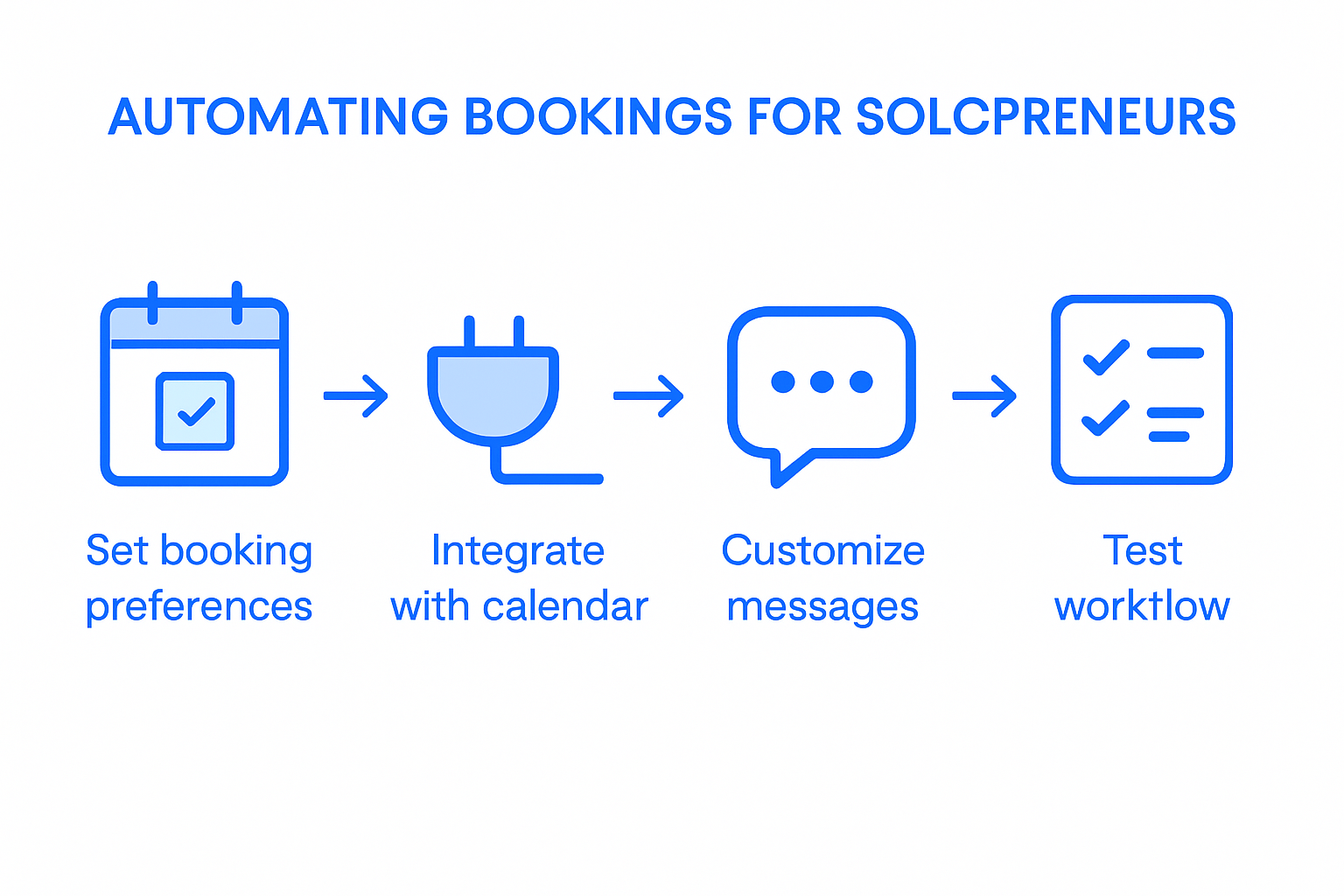
- Step 1: Set Up Your Online Booking Preferences
- Step 2: Integrate Fluum With Your Calendar and Channels
- Step 3: Customize Automated Messaging and Reminders
- Step 4: Enable Payment Collection and Client Tracking
- Step 5: Test and Optimize the Automated Booking Workflow
Quick Summary
| Key Point | Explanation |
|---|---|
| 1. Customize Your Booking Preferences | Tailor your scheduling system to reflect your availability, communication style, and boundaries for better client interactions. |
| 2. Integrate Fluum for Efficiency | Connect Fluum with your calendar to automate updates and reduce scheduling conflicts, ensuring a streamlined workflow. |
| 3. Set Up Automated Messaging | Create customized reminders and confirmations to engage clients effectively and minimize no-shows. |
| 4. Activate Payment and Tracking Systems | Implement a payment system that ensures smooth transactions and helps maintain accurate client records effortlessly. |
| 5. Test and Optimize Your Workflow | Regularly review and refine your booking process to enhance user experience and identify areas for improvement. |
Step 1: Set Up Your Online Booking Preferences
Configuring your online booking preferences and learning how to automate bookings sets the foundation for streamlined client interactions and efficient scheduling. This step involves customizing your availability, communication protocols, and booking workflow to match your professional needs.
Start by selecting an online scheduling system that integrates seamlessly with your existing workflows. Online booking platforms allow you to define precise availability windows, preventing double bookings and reducing administrative overhead. When setting your preferences, consider factors like buffer time between appointments, cancellation policies, and automatic reminder settings. Most platforms enable you to block out personal time, synchronize with your primary calendar, and establish rules that protect your professional boundaries.
Pro tip: Configure your booking preferences to reflect your unique service model. For solopreneurs and coaches, this means creating time slots that align with your energy levels and client demographics. Some professionals prefer clustering meetings on specific days to maintain focused productivity, while others distribute appointments throughout the week. Whichever approach you choose, consistent scheduling strategies can significantly reduce scheduling friction and improve overall client experience.
Once your preferences are configured, you will have a robust system that automates scheduling, sends professional confirmation emails, and manages client interactions with minimal manual intervention.
Step 2: Integrate Fluum With Your Calendar and Channels
Integrating Fluum with your existing calendar and communication channels transforms your scheduling workflow into a seamless automated system. This process ensures real-time synchronization across platforms, preventing double bookings and maximizing your professional efficiency.
Calendar booking tools enable solopreneurs to connect multiple digital platforms effortlessly. When you link Fluum with your primary calendar platform, you create an intelligent ecosystem that automatically updates availability, manages client appointments, and provides instant confirmation notifications. This integration allows you to manage appointments and events directly from a centralized dashboard, reducing administrative work and minimizing scheduling conflicts.
Pro tip: During integration, carefully review your permissions and sync settings. Ensure that personal and professional time blocks are clearly defined to maintain work life balance. Some coaches prefer creating separate calendars for different service types or client segments, which Fluum can accommodate through its flexible synchronization features.
Once integrated, your booking system will automatically manage client interactions, send professional confirmations, and keep your schedule organized with minimal manual intervention.
Step 3: Customize Automated Messaging and Reminders
Customizing automated messaging and reminders transforms your client communication strategy, creating a professional and responsive scheduling experience. This critical step ensures your clients receive timely and personalized notifications that reduce no-shows and enhance overall engagement.
Automated reminder software allows solopreneurs to design communication workflows that feel personal and professional. When setting up your messaging preferences, consider crafting different notification templates for initial booking confirmations, pre appointment reminders, and follow up messages. These automated communications can be tailored to reflect your brand voice while providing essential details like appointment time, location, and any preparation instructions.
Pro tip: Strategically time your reminders to maximize client attendance. Research suggests sending an initial confirmation immediately after booking, a reminder 24 hours before the appointment, and an optional follow up message post service. The key is finding a balance between being informative and avoiding communication fatigue.
Once configured, your automated messaging system will handle client communications seamlessly, allowing you to focus on delivering exceptional services without constant manual intervention.
Step 4: Enable Payment Collection and Client Tracking
Activating payment collection and client tracking transforms your solopreneur business by creating a streamlined financial management system. This crucial step ensures you can effortlessly process payments, maintain accurate client records, and focus on delivering exceptional services.
Payment management systems enable solopreneurs to integrate secure transaction processes directly into their booking workflow. By configuring your payment settings, you can establish upfront payment requirements, set flexible pricing tiers, and automatically generate invoices for each client interaction. This approach not only simplifies financial transactions but also reduces the likelihood of missed payments and administrative overhead.
Pro tip: Implement a structured payment collection strategy that balances client convenience with your business needs. Research indicates that collecting payments upfront significantly reduces no-shows and demonstrates client commitment. Consider offering multiple payment options such as credit card, digital wallet, and bank transfer to accommodate different client preferences.
Once enabled, your payment and tracking system will automatically manage financial transactions, generate comprehensive client reports, and provide real time insights into your business performance.
Step 5: Test and Optimize the Automated Booking Workflow
Testing and optimizing your automated booking workflow ensures a seamless client experience and maximizes the efficiency of your solopreneur business. This critical step involves systematically reviewing and refining each aspect of your booking process to identify potential improvements and eliminate friction points.
Online booking systems provide powerful tools for solopreneurs to simulate and analyze their booking workflows. Begin by creating test scenarios that mimic real client interactions testing every step from initial contact to final confirmation. Pay close attention to user experience elements such as navigation clarity, booking interface responsiveness, and the smoothness of payment and scheduling integrations.
Pro tip: Implement a continuous feedback loop by collecting client insights after each booking interaction. Research suggests that gathering direct input helps solopreneurs identify subtle workflow inefficiencies that automated systems might not immediately detect. Consider sending brief survey questions or tracking key metrics like booking completion rates, time to schedule, and client satisfaction scores.
Once you have thoroughly tested and refined your workflow, you will have created a robust booking system that delivers a professional, user friendly experience while reducing your administrative workload.
Transform Your Booking Challenges Into Seamless Growth Opportunities
If you are tired of juggling appointment scheduling, client communications, and payment collection manually you are not alone. The article highlights vital steps like setting up online booking preferences and customizing automated messaging to reduce no-shows and save precious time. Fluum is designed precisely for solopreneurs and coaches seeking to automate these exact pain points with intelligent, adaptive technology that scales with your business needs.
Take control today by exploring Fluum’s AI-powered platform that integrates calendar booking tools and payment management systems effortlessly. Experience how your AI co-founder can streamline scheduling workflows, send professional reminders, and handle client tracking so you can focus on what matters most. Don’t wait to upgrade your booking process—discover simple, smart automation at Fluum Pricing and make your solopreneur journey more efficient and impactful.
Frequently Asked Questions
How can I set up my online booking preferences?
To set up your online booking preferences, choose an online scheduling system that fits your needs. Configure your availability, set buffer times, and establish cancellation policies to create a streamlined client interaction process.
What should I consider when integrating Fluum with my calendar?
When integrating Fluum with your calendar, ensure that personal and professional time blocks are clearly defined. Review your permissions and sync settings to prevent double bookings, allowing you to manage client appointments efficiently.
How do I customize automated messaging and reminders for my clients?
To customize automated messaging and reminders, design templates for confirmation, pre-appointment reminders, and follow-up messages. Tailor these communications to reflect your brand voice and send reminders at strategic times to optimize client attendance.
What steps should I take to enable payment collection and client tracking?
To enable payment collection and client tracking, configure your payment settings within your booking system. Establish upfront payment requirements and consider offering multiple payment options to simplify financial transactions for your clients.
How can I test and optimize my automated booking workflow?
To test and optimize your automated booking workflow, create test scenarios that mimic real client interactions. Analyze user experience elements and gather client feedback after each interaction to identify areas for improvement and enhance your booking process.
Recommended
- How To Manage Bookings With AI For Solopreneurs
- How To Increase Bookings: A Complete Step-by-Step Guide
- Online Bookkeeping Options for Freelancers Working Remotely
- Fluum | Effective Stress Management Techniques for Busy Professionals
- Fluum | How to Onboard Clients Effectively for Lasting Success
- Fluum | Master Managing Multiple Projects for Success
- Fluum | Build Your Brand with a Branding Builder in 2025
- Fluum | 7 Customer Retention Examples to Boost Your Business
