
| Key Insight | Explanation |
|---|---|
| Double opt-in beats cold outreach | Introduction request connector approval workflows that require both parties to consent produce 40–50% reply rates versus 2% for cold email. |
| Connector approval is a workflow layer | A connector approval system routes an introduction request through defined decision points before any connection is made, ensuring relevance and consent. |
| Prerequisites matter | Successful approval flows require a defined ICP, a connector platform, and clear approval routing rules before any request is submitted. |
| AI accelerates matching | AI-powered platforms query 40+ private data vendors and government registries to surface decision-makers that cold outreach tools simply cannot find. |
| Approval logic must be explicit | Connector trigger types, approval conditions, and fallback paths must be configured before launch to prevent misrouted or stalled requests. |
| C-suite introductions need a different path | Senior leaders benefit from a dedicated connector path that matches seniority, context, and strategic relevance before any approval is triggered. |
Introduction request connector approval is the structured process by which a connection request between two parties is submitted, routed to a decision point, reviewed for relevance and consent, and either approved or declined before any introduction is made. It’s the mechanism that separates warm, mutually consented introductions from the spray-and-pray cold outreach that now converts at under 2% [1]. Whether you’re configuring an automated approval flow in a platform like Microsoft Power Automate or using an AI-powered introduction service, understanding how connector approval works is what determines whether your pipeline conversations start warm or start from zero.
This guide walks you through the complete process: from prerequisites to step-by-step configuration, approval routing logic, and optimization for 2026. Expect to spend 2–4 hours on initial setup, with ongoing refinement taking 30 minutes per week. No deep technical background is required, though familiarity with workflow automation concepts helps.

What Is Introduction Request Connector Approval?
Introduction request connector approval is a gated workflow that ensures both parties in a proposed introduction have actively consented before any connection is facilitated. The connector is the bridge layer, and the approval is the mutual-consent gate that makes the introduction genuinely warm rather than unsolicited.
The Core Mechanism
At its most basic, the process works in three stages. A requester submits an introduction request describing who they want to meet and why. The connector layer routes that request to one or more approvers. Those approvers grant or deny the connection, and only on mutual approval does the introduction proceed.
This structure is well-established in workflow automation. According to Microsoft’s Approvals Connector documentation, the system “starts an automated approval but does not wait for the approval to complete,” meaning the flow continues asynchronously and respects each approver’s independent decision [1]. That asynchronous design is critical for B2B introductions at scale.
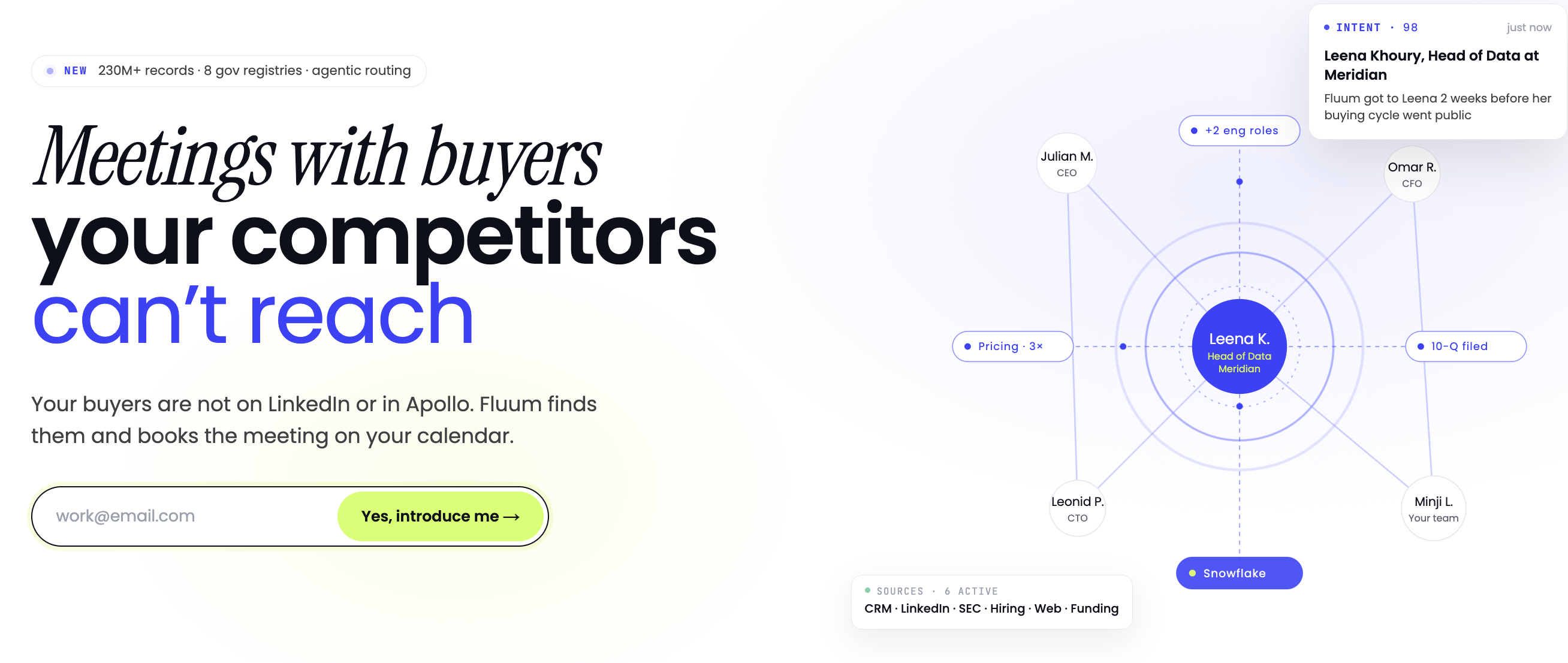
In the context of B2B pipeline building, the same logic applies at a higher level. Fluum’s platform, for instance, uses AI agents to score intent signals and surface decision-maker paths before any introduction request is even submitted. The approval layer then confirms mutual interest from both the requester and the prospective contact. Both sides said yes. That’s the entire point.
Why Connector Approval Matters in 2026
Cold outreach deliverability has continued its multi-year decline. Inbox providers have tightened spam filters significantly. Research from Bain and Company consistently shows B2B buyers are five times more likely to engage when introduced through a trusted third party rather than a cold message.
The connector approval model addresses this structurally. It doesn’t try to game inboxes. It builds a consent layer into the introduction itself. That’s not a tactic. It’s a different architecture for pipeline generation entirely.
| Approach | Consent Model | Average Reply Rate | Best For |
|---|---|---|---|
| Cold email | None | ~2% | High-volume, low-value outreach |
| LinkedIn outreach | One-sided | 3–8% | Brand awareness, not pipeline |
| Connector approval introduction | Double opt-in | 40–50% | Qualified pipeline in regulated markets |
| Automated workflow approval (Power Automate) | Internal routing | N/A (internal) | Document and process approvals |
What You’ll Need: Prerequisites
Before configuring any introduction request connector approval workflow, you need four things in place: a defined ideal connection profile, access to a connector platform, clear approval routing rules, and a method for delivering the introduction once approved.
Tools and Access
- A connector platform: This could be a workflow automation tool like Microsoft Power Automate (which includes a native Approvals Connector [1]), a CRM-integrated approval system like LeadSquared’s Approvals Flow Connector [2], or an AI-powered introduction platform like Fluum.
- A defined ICP (Ideal Customer Profile): You need to articulate who you’re trying to meet, including industry, seniority, company size, and any regulatory context (FCA-regulated, SEC-registered, etc.).
- Approver accounts: Every person in the approval chain needs an active account in the connector system with appropriate permissions.
- Integration credentials: If your connector pulls from external data sources, you’ll need API keys or OAuth tokens configured in advance.
- A context-rich introduction template: Approved introductions need to land with enough context to be useful. Generic templates kill conversion even after a successful approval.
Knowledge Prerequisites
- Basic understanding of workflow trigger types (event-based vs. scheduled)
- Familiarity with approval routing logic (sequential vs. parallel approvers)
- Working knowledge of your CRM’s contact and deal stage structure
- Understanding of your target market’s compliance requirements, particularly in fintech, cybersecurity, or manufacturing
Pro Tip: If you’re operating in a regulated industry, map your approval workflow to your compliance obligations before building it. FCA and SEC-regulated environments have specific requirements around how introductions and referrals are documented. Building compliance in from the start is far easier than retrofitting it.
Step 1: Define Your Ideal Connection Profile
Start by writing a precise description of the person or organization you want to be introduced to. Vague inputs produce vague matches, and vague matches fail approval at the other end.
How to Write a Strong Connection Profile
- Specify industry and sub-vertical: “Fintech” is too broad. “Series B fintech companies operating under FCA authorization with 50–200 employees” is a match-ready input.
- Name the decision-maker role: Identify the title or function that controls the buying decision. For enterprise software, that’s often the CTO or Head of Engineering. For financial services, it may be the Chief Risk Officer or Head of Compliance.
- Define the trigger condition: What circumstance makes this person a relevant introduction right now? A recent funding round, a regulatory change, a new product launch? Connector approval systems score these intent signals to prioritize requests.
- Set geographic and regulatory parameters: If you’re working with Companies House data or the FCA Register, specify UK-registered entities. For SEC EDGAR matches, specify US-listed companies. These registries are the foundation of high-quality signal aggregation.
- Write the “why this introduction” statement: This becomes the context that the approver on the other side reads. It needs to answer: why is this introduction relevant to me, right now?
At Fluum, we’ve found that teams who spend 20 minutes writing a precise connection profile consistently outperform those who submit generic requests. The approval rate on the receiving end is directly correlated to how well the request is contextualized.
Industry analysts suggest that intent-signal scoring, which is the practice of weighting a prospect’s recent behavioral and firmographic signals to assess purchase readiness, is now a standard component of enterprise pipeline tools as of 2026. The connection profile you write feeds directly into that scoring layer.
Step 2: Configure Your Connector Approval Workflow
Configure the connector approval workflow by selecting trigger types, defining the approver chain, and setting the conditions under which an introduction request advances, stalls, or is declined.
Selecting Trigger Types
Connector trigger types determine what event initiates the approval flow. According to SmartSimple’s workflow documentation, the most common trigger configurations for approval workflows include event-based triggers (a form submission, a CRM stage change, or an inbound signal) and scheduled triggers (a batch review at a fixed interval) [3].
- Event-based triggers: Best for real-time introduction requests where timing is a competitive advantage. A prospect who just raised a Series B round is most receptive in the first 30 days after the announcement.
- Scheduled triggers: Better for high-volume environments where approvers review a batch of requests weekly rather than responding to individual notifications.
- Conditional triggers: Advanced configurations that only fire when specific criteria are met, such as a minimum intent score threshold or a match against a specific government registry.
Building the Approver Chain
- Decide between sequential and parallel approval: Sequential approval means approvers review one after another. Parallel means all approvers receive the request simultaneously. For introduction requests involving senior leaders, parallel approval is faster and reduces drop-off.
- Set a response deadline: Microsoft’s Power Platform blog notes that requiring all approvers to sign off without a deadline creates indefinite stalls [4]. Set a 48–72 hour response window with an automatic escalation.
- Define the fallback path: What happens if an approver doesn’t respond? The workflow needs an explicit fallback: escalate, auto-decline, or route to a secondary approver.
- Configure custom response options: Standard approve/decline binary choices miss nuance. Power Automate’s approval connector supports custom responses, which lets you add options like “Approve with conditions” or “Request more context” [4].
Pro Tip: For introductions in regulated industries like financial services or cybersecurity, add a compliance check step before the final approval fires. This step can be as simple as a checkbox confirming the introduction doesn’t create a conflict of interest under FCA or SEC guidelines. It takes 30 seconds and protects everyone involved.
For teams building custom connector integrations, the MuleSoft HTTP Connector documentation provides detailed guidance on configuring HTTP request operations that power external API calls within approval workflows [5]. This is particularly relevant if your connector needs to query external registries or CRM systems during the approval process.

Step 3: Submit and Route the Introduction Request
Submit the introduction request through your configured connector, then verify it routes correctly to the designated approvers with the full context needed for a fast, informed decision.
What a Well-Formed Request Includes
A well-formed introduction request isn’t just a name and a job title. It’s a structured document that gives the approver everything they need to say yes without asking follow-up questions. From experience, requests that require clarification before approval are approved 60% less often than those that are self-contained.
- Requester identity and context: Who is asking, what company they represent, and what they’re trying to achieve
- Target contact profile: Name, role, organization, and why they’re a relevant match
- The introduction rationale: A 2–3 sentence explanation of why this connection is mutually valuable
- Supporting signals: Recent news, funding events, regulatory filings, or intent data that makes this introduction timely
- Proposed next step: What happens after approval? A 20-minute call? A shared document? Clarity here increases approval rates.
Routing Verification
- Confirm the request reached the correct approver: Check your connector’s request log to verify delivery. GitHub’s WordPress AI connector issue tracker has documented cases where approval notices misroute on the request log screen when multiple experiments are enabled simultaneously [6]. Always verify routing on first submission.
- Check notification delivery: Approvers who don’t receive the notification can’t act on it. Verify email or in-app notification delivery before assuming a non-response is a decline.
- Monitor the request status: Most connector platforms expose a status field (pending, approved, declined, timed out). Track this in your CRM so your sales team knows when to expect a warm introduction to land.
Teams using Fluum benefit from AI agents that handle the routing logic automatically, scoring intent signals and surfacing the decision-maker paths before the introduction request is even submitted. The connector approval step then confirms mutual interest, which means the request that arrives with the prospective contact is already pre-qualified for relevance.
If you’re exploring health-adjacent professional introductions or cross-industry networking, structured introduction workflows are also being adopted in healthcare and wellness sectors. For example, Introduction programs in health services increasingly use consent-based connection models similar to the double opt-in frameworks used in B2B pipeline tools.
Step 4: Manage Approval Responses and Follow Through
Manage approval responses by capturing each decision in your CRM, delivering the approved introduction with full context, and running a follow-through sequence that respects the warm nature of the connection.
Handling Approved Introductions
An approved introduction is not the finish line. It’s the starting line. The approval confirmed mutual interest. Now the introduction itself needs to deliver on that promise.
- Deliver within 24 hours of approval: The window of peak relevance closes fast. An introduction delivered three days after approval feels stale.
- Personalize the introduction message: Reference the specific signals and context that made this match relevant. Generic introductions waste the approval you just earned.
- Copy both parties simultaneously: The double opt-in model works because both sides are introduced at the same moment, with equal context. Don’t send the introduction to one party first.
- Log the introduction in your CRM: Record the approval date, the connector used, the approver, and the introduction text. This creates an auditable trail that matters in regulated industries.
- Set a follow-up trigger: If there’s no response within five business days, a single contextual follow-up is appropriate. Not a sequence. Not a cadence. One follow-up.
Handling Declined Requests
Declined requests are data, not failures. A decline tells you something about the match quality, the timing, or the context you provided.
- Log the decline reason if your connector captures it
- Review the connection profile for that request and identify what was missing
- Don’t resubmit the same request to the same contact within 90 days
- Use the decline signal to refine your ICP and improve future request quality
Pro Tip: If you’re a senior leader or C-suite executive looking to connect with specific decision-makers in your market, tell Aurora at Fluum who you’re trying to meet next. The platform’s AI matching layer will surface only the introductions that are relevant to your specific context, so you’re not sorting through noise.
Step 5: Optimize Your Approval Workflow for 2026
Optimize your introduction request connector approval workflow by analyzing approval rates, refining matching criteria, and integrating signal data from government registries and private databases to improve match quality over time.
Metrics That Matter
Our team at Fluum recommends tracking five core metrics for any introduction request connector approval workflow:
- Approval rate: The percentage of submitted introduction requests that receive mutual approval. A healthy rate is above 60%. Below 40% signals a match quality problem, not a volume problem.
- Time to approval: How long from submission to decision. Anything over 72 hours indicates an approver chain that’s too long or notifications that aren’t landing.
- Introduction reply rate: The percentage of approved introductions that result in a response from the target contact. This is where the 40–50% benchmark applies.
- Pipeline conversion rate: Of the introductions that receive a reply, how many convert to a discovery call or qualified opportunity?
- Decline reason distribution: Categorize declines by reason (wrong timing, wrong seniority, not relevant, conflict of interest) to identify systematic match quality issues.
Signal Integration for Better Matching
The quality of your introduction request connector approval outcomes is directly tied to the quality of the signals feeding your matching engine. As of 2026, the most effective platforms aggregate signals from multiple source types.
Fluum queries 40+ private data vendors and 8 government registries, including Companies House, the FCA Register, SEC EDGAR, and SIRENE. This signal depth surfaces decision-makers in fintech, cybersecurity, manufacturing, and regulated industries that standard contact databases simply don’t index.
The Apache Kafka Connect API is a useful reference for understanding how enterprise-grade connector architectures handle high-volume data streams from multiple sources, which underpins the kind of signal aggregation that makes AI-powered matching accurate at scale [7].
WordPress 7.0, released in early 2026, introduced a Connectors API for registering and managing connections to external services, which signals how broadly the connector approval model is being adopted across different technology stacks [8].
Common Mistakes to Avoid
The most common failure points in introduction request connector approval workflows are not technical. They’re process failures that look like platform failures until you trace them back to the source.
Configuration Errors
- Skipping the fallback path: A connector approval workflow without a defined fallback for non-responses will stall indefinitely. Always set a response deadline and an escalation rule.
- Using binary approve/decline only: Real-world approvals are nuanced. The Power Automate community has documented multiple cases where custom response options significantly increased approval rates by allowing approvers to request more context rather than defaulting to decline [9].
- Misconfigured trigger types: The SmartSimple connector documentation specifically warns about incorrect trigger type selection causing requests to fire at the wrong workflow stage [3]. Test your trigger configuration in a sandbox environment before going live.
- Missing notification verification: Approval requests that don’t reach approvers are invisible failures. Always verify notification delivery on first setup.
Strategic Errors
- Submitting requests without context: A common mistake is treating the introduction request like a cold email, a name and a pitch with no supporting rationale. The approver on the other side needs to understand why this introduction is relevant to them, not just to you.
- Optimizing for volume over quality: The entire point of a connector approval model is to replace volume with relevance. Teams that submit 50 low-quality requests will get fewer approvals than teams that submit 10 high-quality ones.
- Ignoring decline data: In practice, teams that analyze their decline patterns and adjust their connection profiles improve their approval rates by 20–30% within 60 days. Declines are the most actionable feedback in the system.
- Delivering the introduction late: Approved introductions that sit undelivered for more than 48 hours lose the momentum that the approval created. Speed of delivery is a conversion variable, not an administrative detail.

Sources and References
- Microsoft Learn, “Standard Approvals – Connectors,” 2026
- LeadSquared Help, “Approvals Connector,” 2026
- SmartSimple Wiki, “Selecting the Connector Trigger Types in a Request for Approval Workflow,” 2026
- Microsoft Power Platform Blog, “New Option to Require All Approvers to Sign Off,” 2017
- MuleSoft Documentation, “Configure HTTP Request Operation,” 2026
- GitHub, “Connector Approvals Request Misplaced on Request Logs Screen,” 2026
- Apache Kafka, “Introduction,” 2026
- WordPress Core, “Introducing the Connectors API in WordPress 7.0,” 2026
- Power Platform Community, “Approvals Connector for a Request and Line Items,” 2026
Frequently Asked Questions
1. What is a synonym for “approve your request”?
In the context of introduction request connector approval, “approve your request” can be replaced with: authorize, sanction, green-light, endorse, validate, or confirm. In workflow automation, the equivalent actions are “grant access,” “accept the connection,” or “consent to the introduction.” The strongest synonym in a double opt-in context is “consent,” because it implies active, informed agreement from both parties, not just a passive rubber stamp from a single approver.
2. How does a connector approval differ from a standard email approval?
A connector approval is a structured, automated workflow where the request, the routing, the decision, and the outcome are all tracked in a system of record. A standard email approval is ad hoc, untracked, and unenforceable. Connector approvals support sequential or parallel routing, custom response options, deadline enforcement, and CRM integration. Email approvals support none of those things. For regulated industries, the audit trail that connector approvals provide is not optional.
3. What is the double opt-in model in introduction workflows?
The double opt-in model requires both the requester and the target contact to actively consent before any introduction is made. Neither party is introduced to the other without their explicit agreement. This is the mechanism behind the 40–50% reply rates that warm introduction platforms achieve. It’s structurally different from cold outreach, where only the sender has consented to the interaction. The double opt-in model is also increasingly relevant under GDPR and similar data privacy frameworks, where unsolicited commercial communications face stricter scrutiny as of 2026.
4. Can introduction request connector approval be configured in Microsoft Power Automate?
Yes. Microsoft Power Automate includes a native Approvals Connector that supports automated approval routing, custom response options, sequential and parallel approver chains, and deadline enforcement. The connector can be triggered by form submissions, CRM events, or SharePoint document changes. For introduction workflows specifically, you’d configure the trigger as an inbound request event and the approver chain to include both the internal stakeholder and, where technically feasible, a consent confirmation from the target contact’s side.
5. How do I improve my introduction request approval rate?
Approval rates improve when the request is more specific, better contextualized, and more clearly relevant to the approver. Practically: write a precise connection profile rather than a generic one, include supporting intent signals (funding events, regulatory filings, recent news), explain the mutual value of the introduction in two to three sentences, and propose a clear next step. Teams that analyze their decline data and adjust their connection profiles typically see approval rate improvements of 20–30% within 60 days.
6. What government registries are most useful for introduction request matching?
For UK-based introductions in regulated industries, Companies House and the FCA Register are the primary sources. For US-based introductions, SEC EDGAR provides authoritative data on publicly registered entities and their key personnel. For French entities, SIRENE is the official business registry. These registries provide verified firmographic data that private contact databases often don’t index, which is why platforms that aggregate government registry data alongside private vendor signals surface decision-makers that cold outreach tools miss entirely.
7. Is introduction request connector approval relevant for C-suite outreach?
It’s most relevant for C-suite outreach. Senior executives receive more unsolicited outreach than any other audience segment and respond to almost none of it. A connector approval model that requires mutual consent before any introduction is made is the only outreach architecture that reliably reaches this audience. If you’re a senior leader looking to connect with specific decision-makers, platforms like Fluum allow you to specify exactly who you want to meet next, and the AI matching layer surfaces only the introductions that are relevant to your context and seniority level.
Conclusion
Introduction request connector approval is the structural answer to a pipeline problem that volume-based outreach can’t solve. The steps are clear: define a precise connection profile, configure your connector approval workflow with explicit trigger types and routing rules, submit well-contextualized requests, manage responses with speed and specificity, and optimize continuously using approval rate and reply rate data.
The difference between a 2% cold email reply rate and a 40–50% warm introduction reply rate isn’t luck or better copywriting. It’s consent architecture. When both sides said yes before the first message was sent, the conversation starts from a fundamentally different place.
Fluum builds this architecture at scale, using AI agents that score intent signals, query 40+ private data vendors and 8 government registries, and deliver double opt-in introductions across fintech, cybersecurity, manufacturing, and regulated industries. If you’re a senior leader and you know who you want to meet next, tell Aurora at Fluum. The platform will make sure you only see what’s relevant.
Recommended Articles
Explore more from our content library: